Agent Apps
Agent Apps are manifest-driven folders that Keprix installs, runs, schedules, and meters as first-class products. Each app ships an agent.yaml manifest, optional tools and eval suites, and a web form generated from declared inputs.
Use Agent Apps when you want a repeatable workflow (standup, research brief, invoice review) with a fixed UI, billing limits, and exportable bundles. Use chat for ad-hoc questions and Agent Studio for multi-agent graphs and MCP workbench experiments.
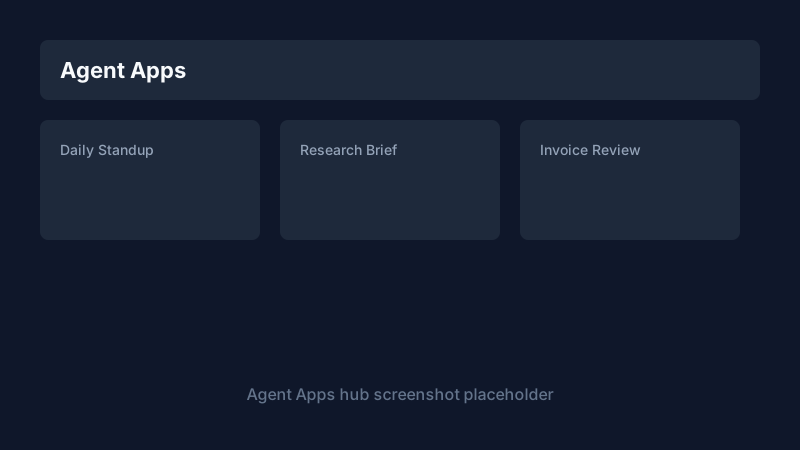
60-second quick start
- Sign in and open Agent Apps at
/agent-apps. - Open the Discover tab and click Install on Daily Standup.
- On the app detail page, check Readiness (set
KEPRIX_DEFAULT_PROVIDERif needed). - Enter an optional focus note and click Run.
- Open Automate and enable Weekdays 9am schedule (Pro plan).
Installed apps
| Action | Where |
|---|---|
| Browse installed apps | /agent-apps Installed tab |
| Open app detail | Click a card or go to /agent-apps/{name} |
| Uninstall | Detail page Manage or DELETE /api/agent-apps/{name} |
| Export zip bundle | Export on detail or GET /api/agent-apps/{name}/export |
| Upload install | /agent-apps/install wizard or POST /api/agent-apps/install/upload |
The hub shows featured templates when you have two or fewer apps installed.
Marketplace templates
Built-in templates live under src/keprix/agent_apps/catalog/:
| Template | Category | Tier |
|---|---|---|
| Daily Standup | productivity | Free |
| Research Brief | research | Pro |
| Invoice Review | finance | Pro |
List templates:
GET /api/agent-apps/catalog
Install:
POST /api/agent-apps/catalog/daily-standup/install
Pro templates return 402 Payment Required on Community plans with an upgrade link to /pricing.
Inputs and outputs
Manifest v2 declares inputs and outputs. The web UI renders:
text,textarea,number,select,checkbox,date- Markdown and text output panels
- Artifact downloads when the runner returns file paths
Run payload:
POST /api/agent-apps/daily-standup/run
{
  "inputs": { "focus": "Ship billing UI" },
  "runner": "web"
}
Secrets and readiness
Apps declare required_env in agent.yaml. Values can come from:
- Instance
.env - Vault at
/vault - Provider config in Settings
Readiness check:
GET /api/agent-apps/{name}/readiness
Returns ready, missing env keys, and permission notes before you run.
Scheduling
On the app Automate tab:
- Cron presets (daily, weekdays, weekly)
- Timezone field
- Enable/disable toggle
Schedules create cron jobs visible at /admin/cron with job_type: agent_app_run. Pro plan and above required (agent_apps.scheduled feature flag).
Webhooks and API
Rotate a webhook secret on the Automate tab, then call:
curl -X POST "http://127.0.0.1:3333/api/public/agent-apps/hooks/{token}" \
  -H "Content-Type: application/json" \
  -d '{"inputs": {"focus": "Webhook run"}}'
Authenticated run (API key from /developer):
curl -X POST "http://127.0.0.1:3333/api/agent-apps/daily-standup/run" \
  -H "Authorization: Bearer $KEPRIX_API_TOKEN" \
  -H "Content-Type: application/json" \
  -d '{"inputs": {"focus": "API run"}, "runner": "api"}'
Webhooks require Team plan (agent_apps.webhooks).
Run history and evals
- History tab on the app detail page lists recent runs with status and duration.
- Eval suite runs bundled
evals/*.yamlcases; trigger from UI or CLI. - Agent runtime at
/agent-runtimefilters traces across apps.
Traces API:
GET /api/agent-apps/{name}/traces
Building your own app
Folder layout
my-app/
  agent.yaml          # manifest (required)
  instructions.md     # agent runtime instructions
  tools/              # tool manifests
  evals/basic.yaml    # eval cases
  agents/main.py      # python entrypoint (python runtime only)
CLI scaffold
keprix agent-app create my-app --template agent
keprix agent-app create my-bot --template python ./my-bot
keprix agent-app validate ./my-app
keprix agent-app run ./my-app --input "Hello"
keprix agent-app bundle ./my-app -o my-app.zip
keprix agent-app catalog list
Install into the instance registry:
keprix agent-app install ./my-app
Export from Agent Studio
Agent Studio (/agent-studio) builds multi-agent graphs. When you publish a portable bundle, export targets the same zip layout as Export on an installed app. See Agent Studio.
Billing limits
Configure limits in config/agent_apps.yaml and plan flags in config/billing.yaml.
| Plan | Max installed | Runs / month | Scheduling | Webhooks | Pro templates |
|---|---|---|---|---|---|
| Community | 3 | 50 | No | No | No |
| Pro | 10 | 500 | Yes (5 schedules) | No | Yes |
| Team | 50 | 5000 | Yes (25 schedules) | Yes | Yes |
| Enterprise | Unlimited | Unlimited | Yes | Yes | Yes |
Usage meter:
GET /api/agent-apps/usage
Billing settings show an Agent Apps usage card at /settings/billing.
When a limit is exceeded, APIs return 402 with:
{
  "detail": "agent_apps.max_runs_per_month",
  "message": "You have used 50 of 50 agent app runs this month.",
  "upgrade_url": "/pricing"
}
Troubleshooting
| Symptom | Fix |
|---|---|
| Readiness red: LLM not configured | Set KEPRIX_DEFAULT_PROVIDER and provider API key in Settings |
| Missing env in readiness | Add keys to .env or Vault; names must match required_env |
| 402 on install or run | Check /api/agent-apps/usage; upgrade at /pricing |
| Pro template blocked | Community plan cannot install tier: pro catalog items |
| Webhook 401 | Rotate secret; use latest URL from Automate tab |
| Schedule not firing | Confirm job enabled at /admin/cron and plan includes agent_apps.scheduled |
| Agent Apps hidden | Admin disabled agent_apps.enabled in feature flags or governance policy |
Configuration
| Variable | Purpose |
|---|---|
KEPRIX_AGENT_APPS_DIR | Override installed apps directory |
KEPRIX_AGENT_APPS_CONFIG | Path to agent_apps.yaml limits and features |
KEPRIX_AGENT_APP_RUN_RETENTION_DAYS | Run history retention (default 30) |
KEPRIX_AGENT_APPS_ENABLED | Set false to disable runner instance-wide |